macOS
macOS 12 Monterey or later
Downloads
A desktop app for macOS, Windows, and Linux. Free, forever — your data stays on your machine, and there's no account to sign up for.
macOS 12 Monterey or later
Windows 10 or later
AppImage · Debian · RPM
The last release was a polish pass. This one is the opposite: forty-eight additions, and almost every one of them closes a gap that people who use products like this one keep asking about. I went through the requests, checked each one against the code, and built the ones that were real gaps.
Relations run both ways. Link a deliverable to its project and the project lists it back under Deliverables without you doing anything. Adding, removing and deleting keep both sides in step, and if the far object is locked the change is refused rather than half-applied.
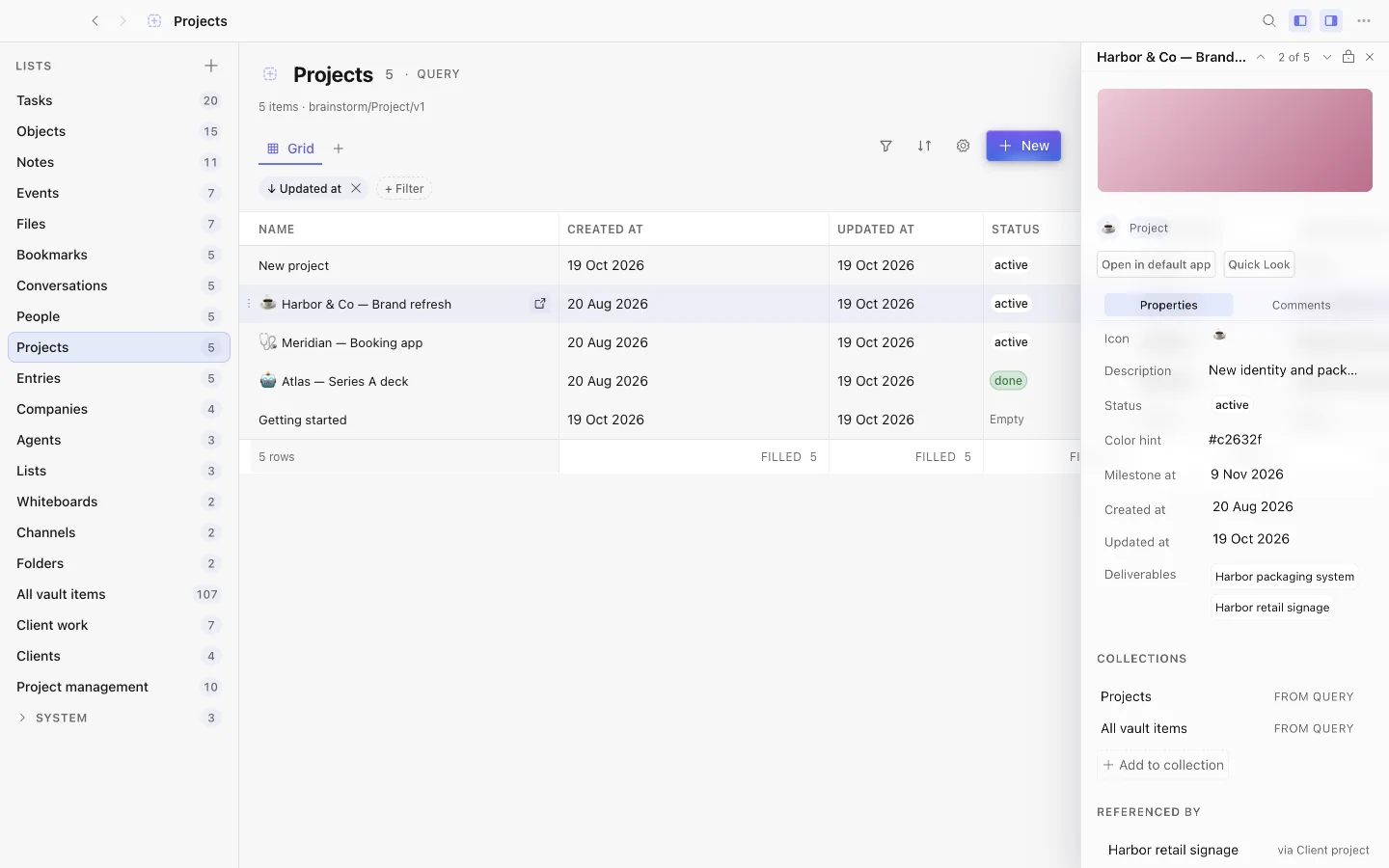
A view can live inside the object it belongs to. An embedded view can filter on “This object”, so one project template shows each project its own tasks.
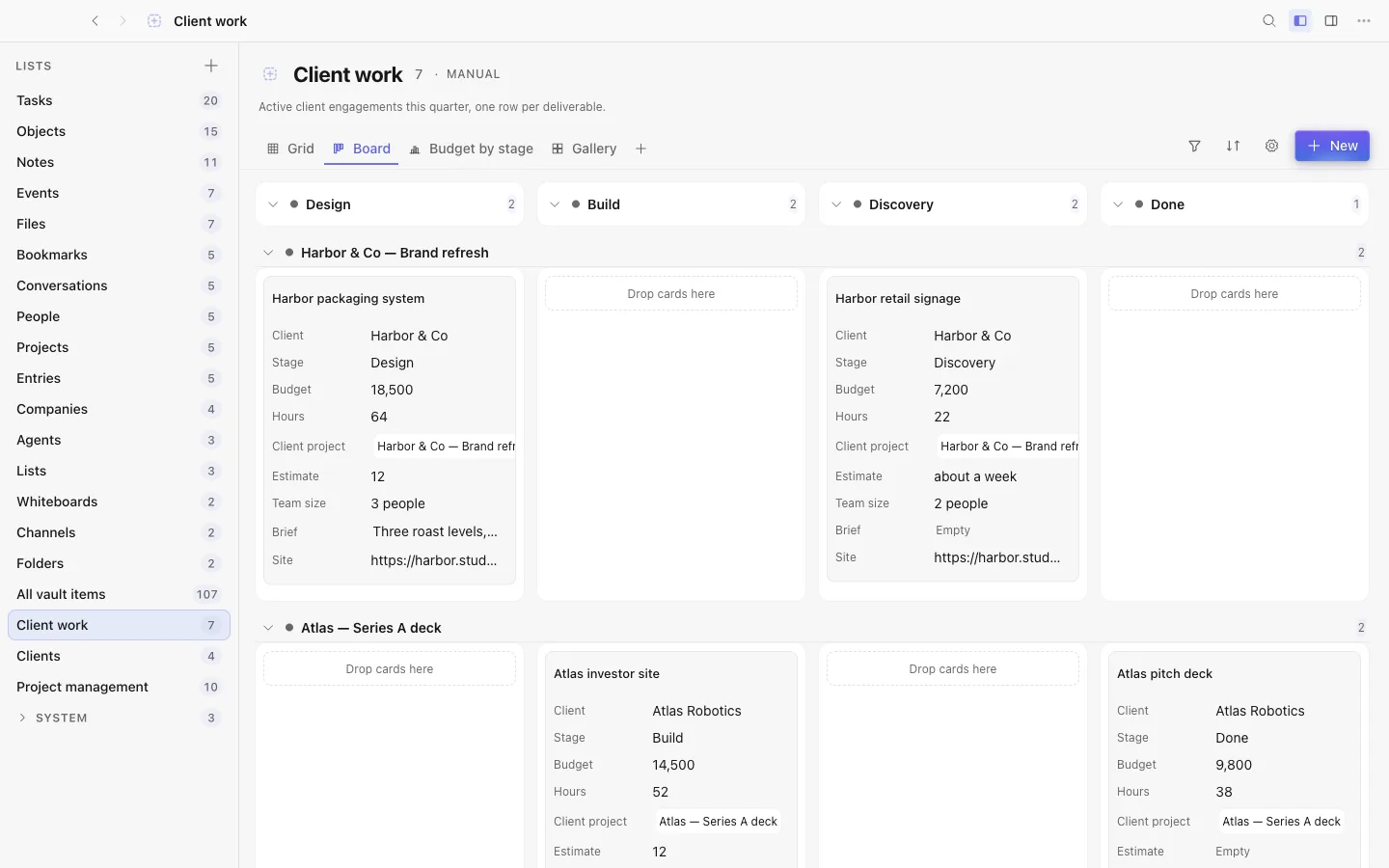
Columns, boards and galleries do what you ask. Name is an ordinary column you can reorder. A column can carry a different name in one view, show as an icon only, and wrap the way you choose. Boards split into swimlanes by a second property, order groups by how many items they hold, and collapse every group at once. Galleries pick their cover from a property, the first image, or none.
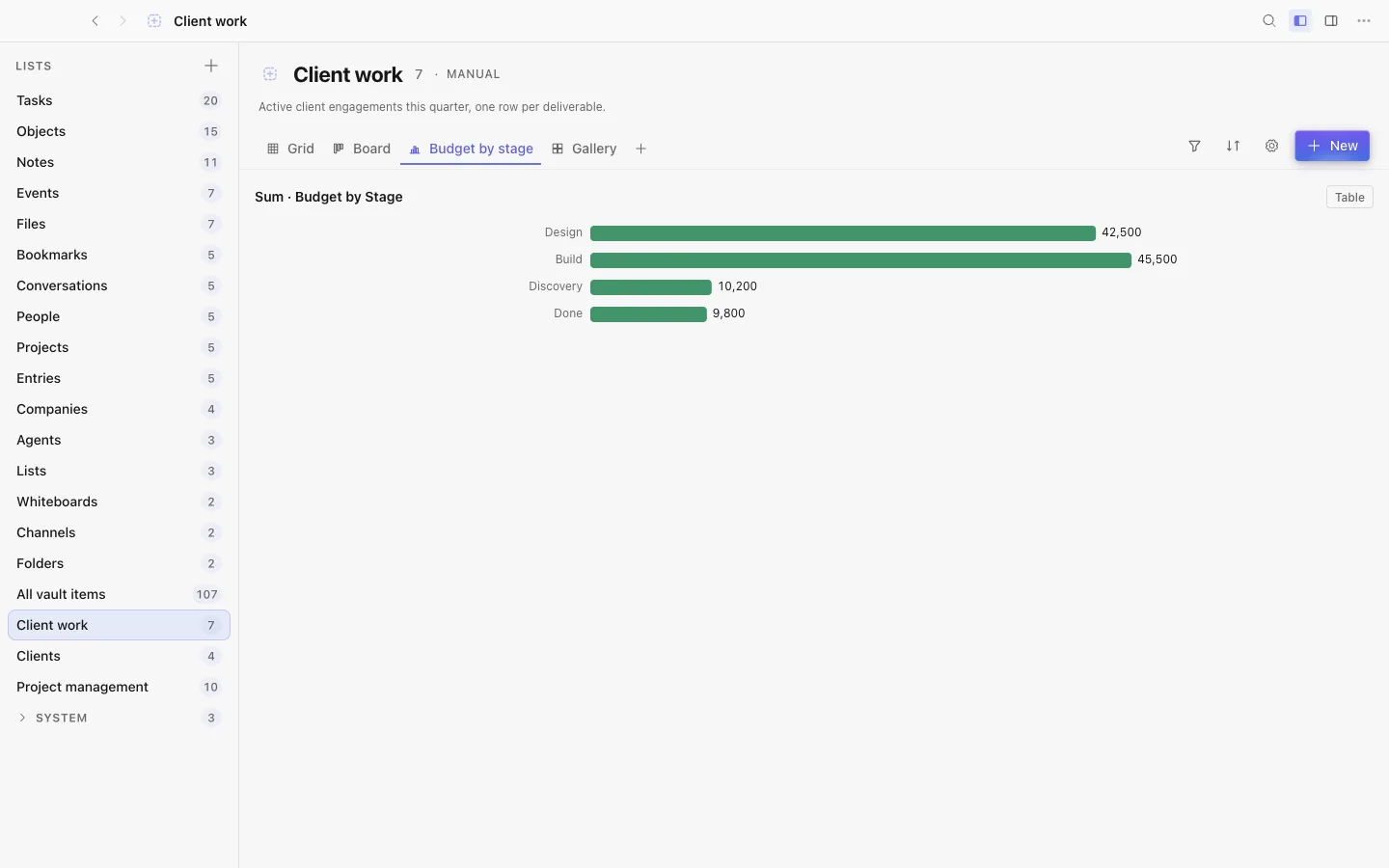
Change your mind about a type. Switch a property between text, number, checkbox and date with a preview of every value that converts and every one that would be cleared. Numbers can carry a unit. A property can also hold rich text, and a chart view draws bars, lines, pies and single numbers over any grouping.
Work on many rows at once. Select rows and set a property or add them to a collection in one go, with a one-step undo. Step through a view from the inspector with Alt and the arrow keys. Pin a view to the dashboard from its tab.
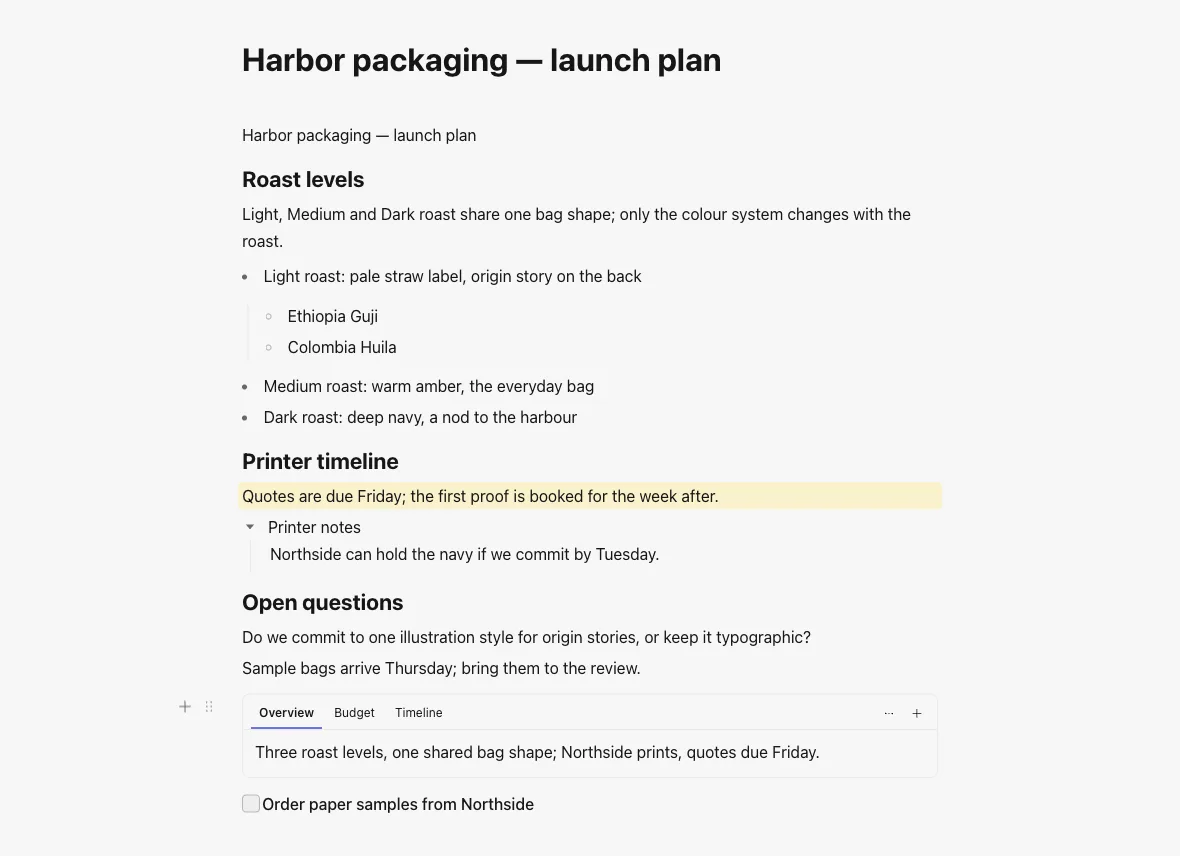
The gutter plus opens the whole block catalogue. A synced block can be edited in
place, writing into its source with the source’s own undo. Blocks and table cells
take a background colour that holds contrast on all fourteen themes. /task
creates a real task and leaves a live checkbox in the text. One command turns a
block into a page. A side outline tracks your headings. Find and replace
understands regular expressions, with limits so a bad pattern cannot freeze the
editor. Images and files already in the vault can be inserted and resized inline,
and images now reach HTML and Markdown exports. There is a tabs block, guide
lines on lists, outliner keys inside toggles, and a spell-check language picker.
Split view. Alt-click any object, or choose “Open to the side”, and work in two panes with their own apps, divider and shortcuts.
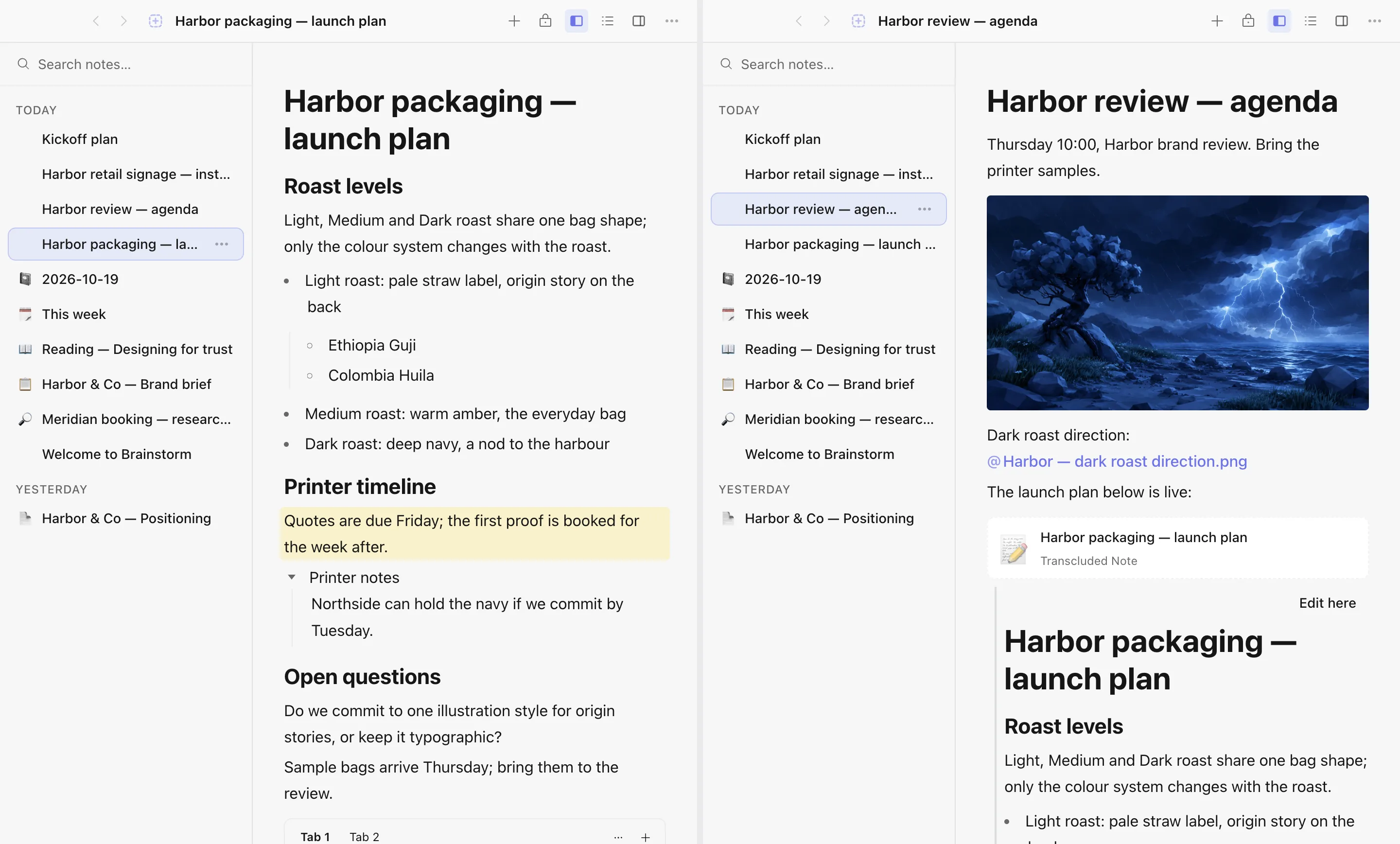
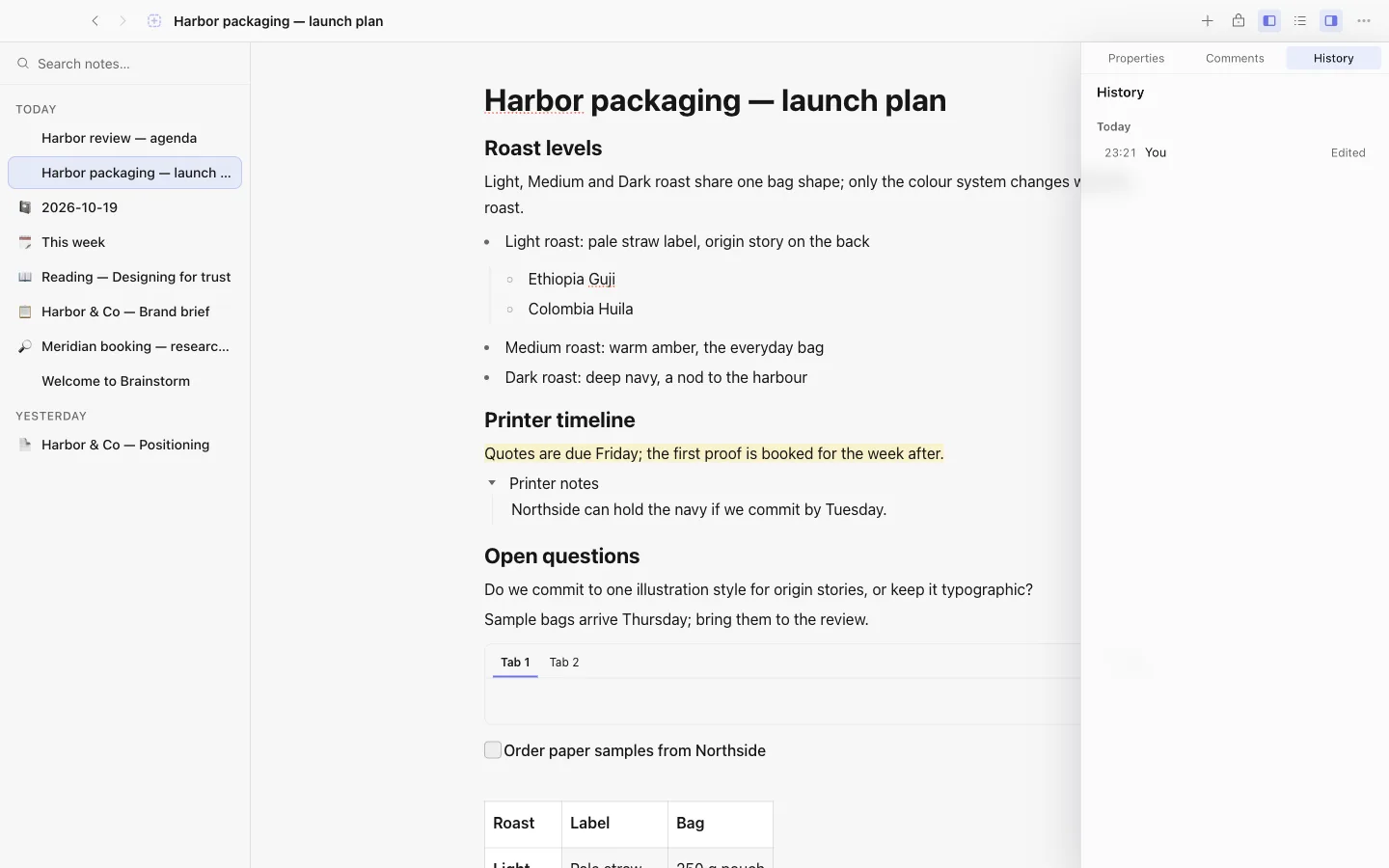
A history for every object. Idle edits are captured on their own, an agent run is one checkpoint, and restoring is a forward edit you can undo. Retention keeps the newest version of every object no matter how full the history gets.
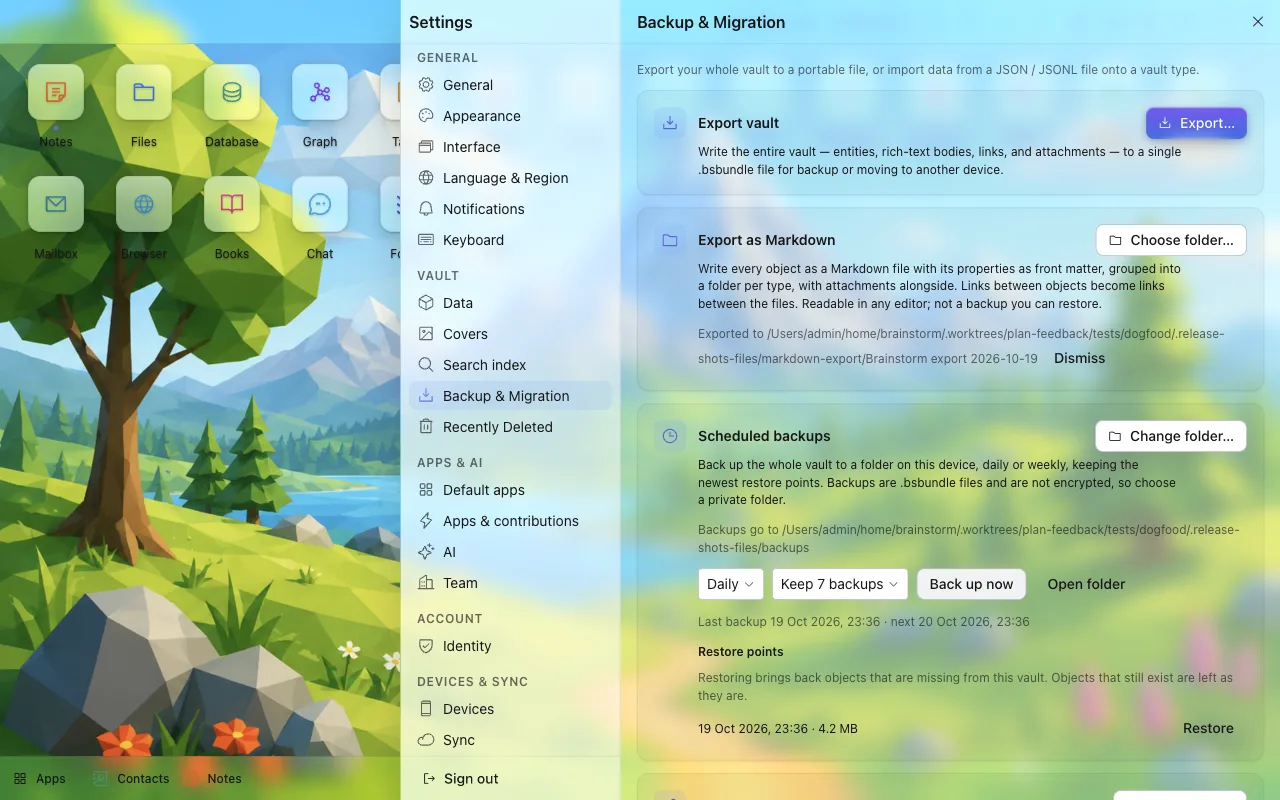
Backups that happen without you. An hour after launch and hourly after that, the vault writes a backup, keeps a bounded set of restore points, and a restore only brings back what is missing. Whole-vault Markdown export writes one dated folder with one file per object and its assets alongside.
Also: a startup page, search that shows saved searches and recents before you type, remembered “don’t ask again” on Move-to-Bin prompts, auto-hide sidebars, close to tray on Windows and Linux, visibility preferences for higher contrast and a stronger cursor, and a Recent row in the emoji and icon pickers.
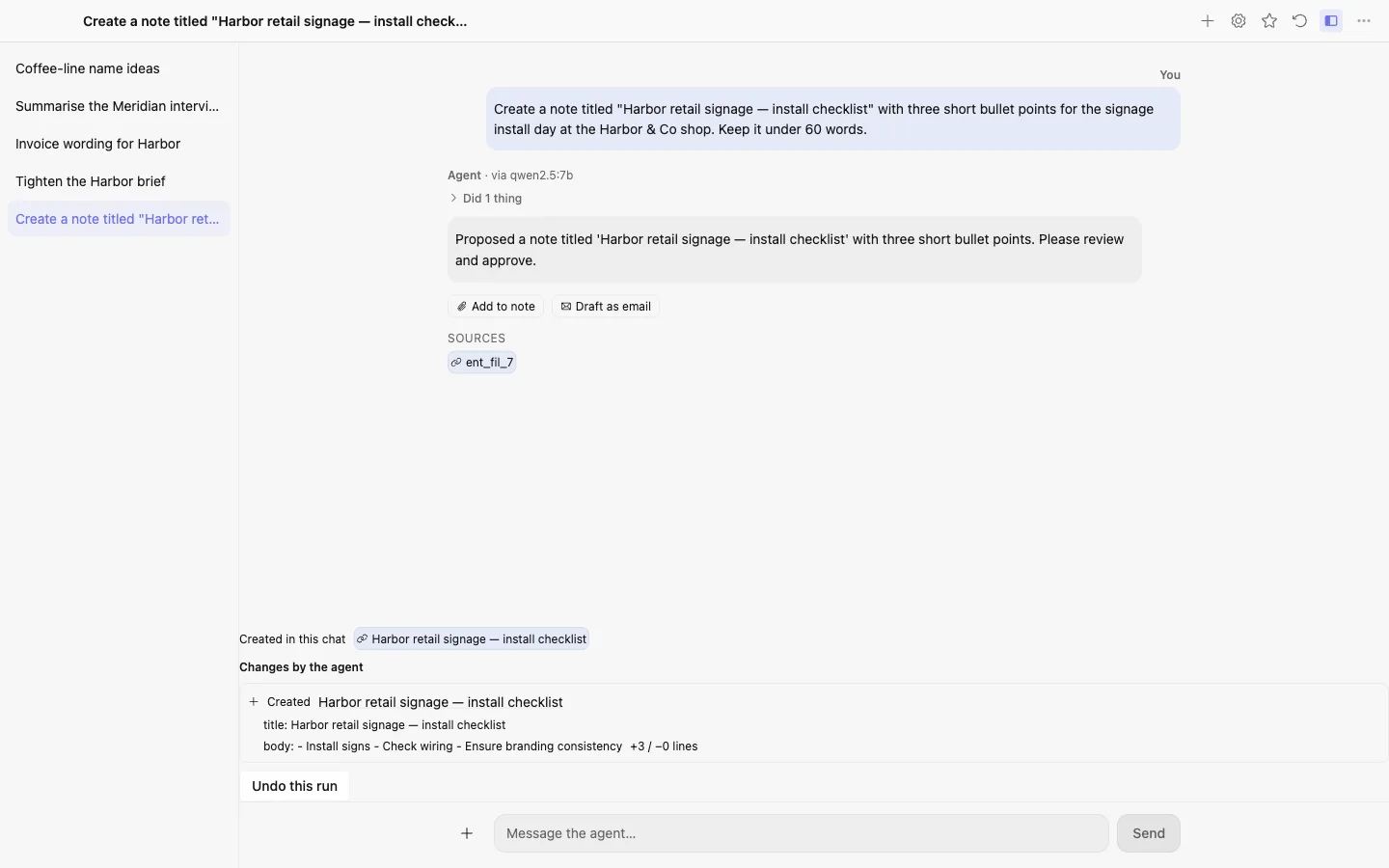
Custom endpoints, an OpenRouter preset, an Ollama tile and a per-conversation model. Every provider call goes through the network broker now, and usage is estimated when a provider reports none, so a budget holds for every provider. Each run lists what it changed, and “Undo this run” checks the whole run first and refuses it whole, with a reason, if anything was edited since. An object an agent created says so in a read-only row, and that mark cannot be forged.
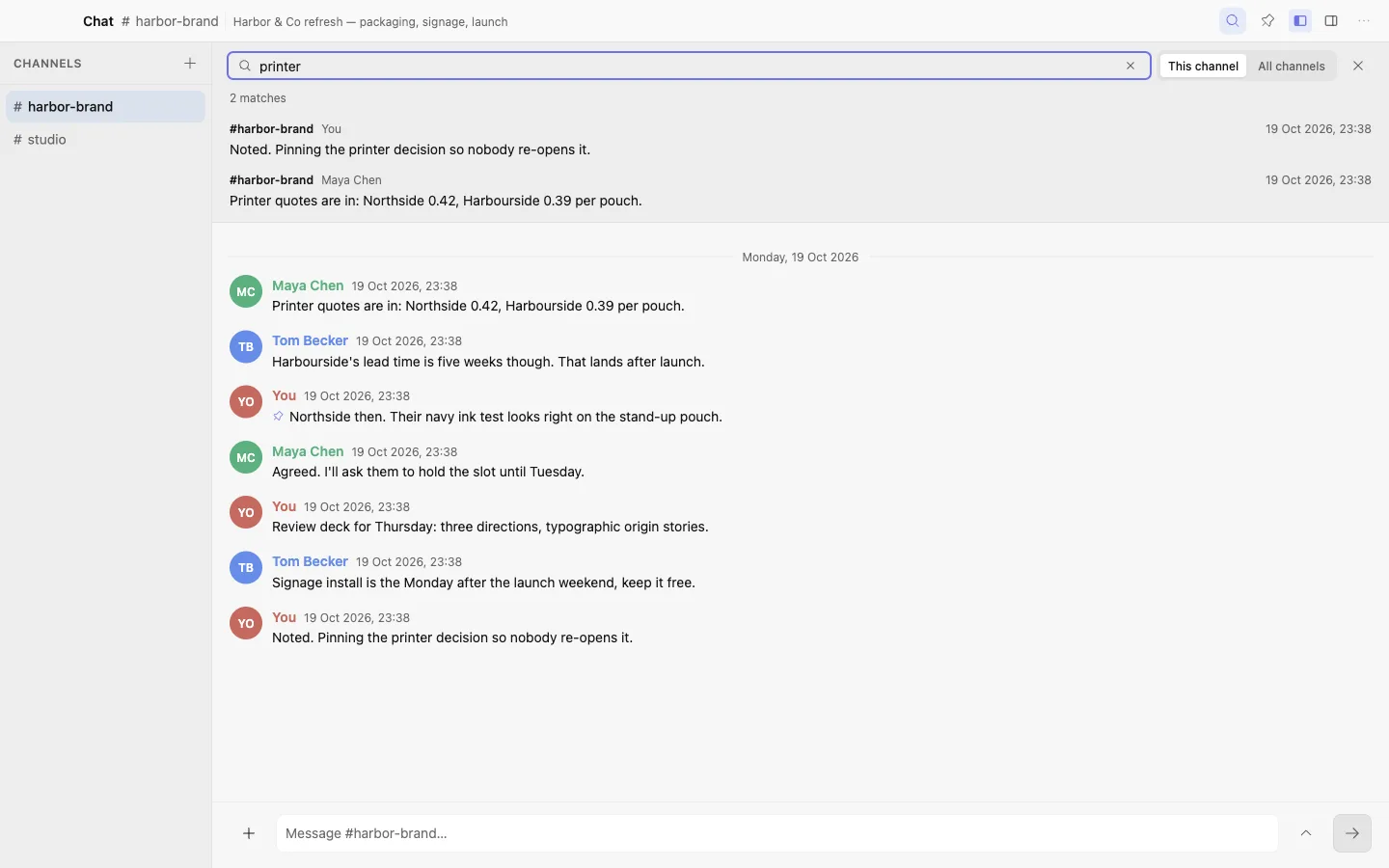
Search the open channel with Mod+F. What you have read is yours and follows you
across devices. Pin up to fifty messages per channel, see who is typing, expand
the composer, and show full dates. A brainstorm://invite link pre-fills the
share dialog and never grants anything by itself; Viewer is the default role.
A task checkbox cycles open, done and won’t do, and a closed task never nags.
Journal takes quick captures, and a #collection tag files the line as an
object in that collection. Files filters by kind, size, date and extension,
finds duplicates by content, and takes files dropped from your desktop into a
collection. Preview has a context panel with the caption, every backlink and
Move to Bin. A whiteboard reopens where you left it.
macOS builds are signed with a Developer ID and notarized by Apple, so they open without a Gatekeeper warning. Windows is currently unsigned, so you may see a SmartScreen “unknown publisher” prompt, where the option you want is More info then Run anyway. Existing installs update in-app from Settings → Updates.
It is still a beta, so keep backups of anything important. Your vault is a plain folder you control completely.
Every app was captured in both themes and the screenshots were read one by one, so this release fixes what you can see — and fixes the class behind each defect, not just the instance. Pairing a second device now actually moves your work onto it.
An agent is now a member of your vault, with a name, its own permissions, and a record of everything it did. Apps expose their abilities to each other, so an action from one app shows up where you are working in another.
Write an app in the Code editor and install it into your own vault, with no build step and no terminal. Shared objects now show the people on them by name instead of a key.
The most-requested whiteboard feature: grab a corner and resize sticky notes, shapes, images — anything. Plus code that's finally readable in dark mode, and a polish pass across six apps.
Attachments now follow you across devices — thumbnails instantly, full files on demand. Plus sync over your local network with no server, a reader mode in the Browser, app badges, and every app in five languages.
Your automations can now write down what they figure out — set a task's priority to the AI's answer, straight from the builder. Plus every menu lines up, and the widget Size menu tells the truth.
Design your own forms and layouts — fields, sections and page elements, arranged how you want and rendered live. Plus a browser your automations can read, Notion import without an export file, and an agent that can propose a whole database.
Work with the agent: it drafts real objects into your vault — a note, task, event, bookmark, or contact — and you approve what to keep. Plus same-network sync, four new languages, and Notion import.
Your agent now builds real things with you — propose a note, task, event, bookmark, or contact right in chat, and approve what you want to keep. Plus same-network sync, four new languages, and Notion import.
Your mail reaches Gmail, Microsoft 365, and Fastmail, and your automations react to the outside world — an incoming webhook, a file changing on disk, or the app starting up.
Your inbox starts working for you: email triggers automations with an AI-triage step, attachments become real files you can search and link, and the assistant drafts replies straight into your composer.
Your whole mail history: load older mail on demand — the synced window extends in place, page by page — and fix a broken account without removing it.
Mailbox grows up: rich HTML compose, accounts you can see and manage, working remote images, your choice of sync history — and the built-in Browser stops tripping login anti-bot walls.
Imports made whole: the Anytype import lands every file — pasted screenshots included, none swapped — plus fixed gallery tiles, self-healing note titles, readable menus, and friendlier IMAP setup.
Brainstorm drops the pink: Default Light and Default Dark are the new out-of-box themes, with a violet-indigo app icon, a fresh default wallpaper, and a matching welcome screen.
Anytype imports now bring the actual files into your documents — and Database learns rollups, the Agent can write into notes, and every drag has a keyboard twin.
Bring your whole Anytype space with you — pages, properties, tags, collections and links arrive as native objects — and Brainstorm now finds its own updates and offers them as a click.
A patch release: editors outside Notes get their styles back, the Files grid stops overlapping tiles, reminders open what they are about, and four apps get shorter names.
Beta usage analytics can talk to Amplitude again, using one anonymous install id and without sending vault ids or other identity.
Fixes the Files and Graph typecheck failures that kept CI red since 0.4.3, and caps Rust parallel jobs on release runners so arm64 packaging no longer OOMs mid-build.
Graph now shows live collaborator cursors and selection rings on shared boards; Database joins the presence fleet. Twelve apps ship Spanish UI overlays when you switch language in Settings.
Live presence avatars now show in Tasks, Chat, Journal, Calendar events, Graph, Code editor, Preview, and Books — plus browser tab fixes and Settings polish.
Live presence — when you share a board or a note, you now see your collaborators' cursors and avatars in real time. Plus a per-site trust switch for the in-app browser and an instant light/dark shell.
A task or event reminder now fires even if the app wasn't running when it came due — it catches up the next time you open Brainstorm. Plus a fix for list numbers going missing in composers.
Removing someone really removes them: when you take a collaborator off a shared note, page, or channel, they can no longer read anything you write afterward — access removal is now enforced by encryption, not just policy. Plus a PDF crash fix.
Small fixes on the back of the sharing release: your own name shows up instead of "Anonymous", a couple of rough edges smoothed, and a fix for a harmless console error in Tasks.
Invite teammates to any note or collection, give them Editor or Viewer access, and edit together — changes sync live, end-to-end encrypted, with the relay never seeing your content. Viewers are now truly read-only.
A quality release: task and calendar reminders now fire even when the app is closed, duplicate alerts are gone, synced attachments can be cleaned up server-side, and every known dependency vulnerability is patched.
Semantic search arrives — an on-device model finds your notes by meaning, not just keywords. Plus a background-activity center, six new dashboard widgets, a richer chat composer with @-mentions, and editor templates.
A fixes release for the public beta — status and select cells now edit as a type-or-pick list, the calendar and preview render cleanly, chat messages stay out of the file browsers, and the assistant shows real titles instead of internal ids.
A polish release for the public beta — the PDF viewer now fits the page on open, text fields and buttons line up on one control scale across apps, and the entity inspector reads as a tidy property sheet.
The first public beta of Brainstorm — a local-first desktop where your apps, your files, and your AI all run on your own machine, with optional end-to-end encrypted sync across devices.